Or: how I got a comet mission from 2015 off life support
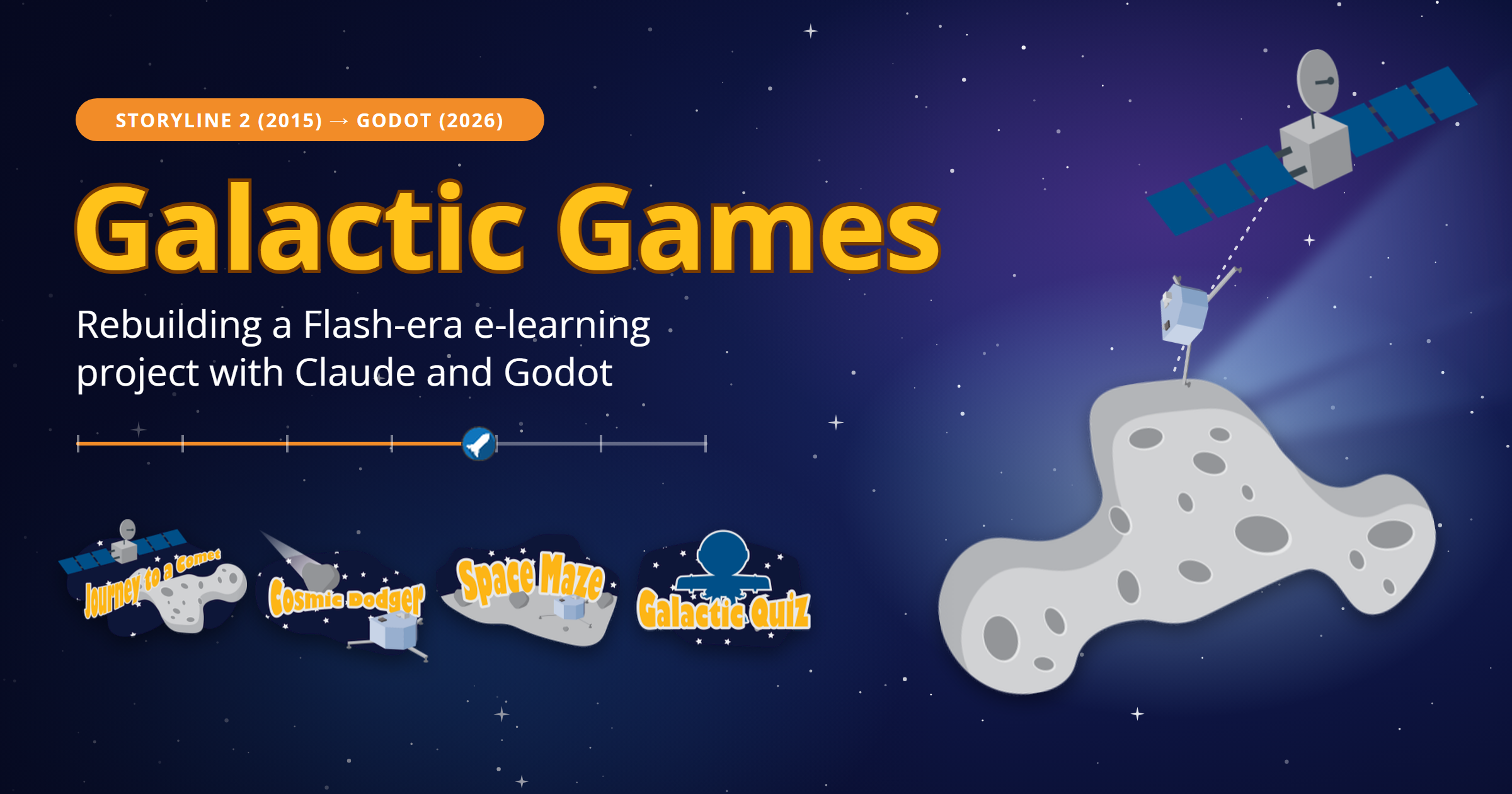
Every e-learning developer has that one project. The one you still bring up in interviews, the one you were a little too proud of, the one that now shows a sad gray puzzle piece because it was published to Flash. Mine is Galactic Games, a little Rosetta/Philae comet adventure I built in Articulate Storyline 2 for the 2015 Articulate Guru Awards. It got an honorable mention, which I’ve decided means “would have won if the judges had more time to play the dodging game.” (Deep breath…I’m not still bitter after all these years.) The announcement even mentioned it, describing the entries as running from a ninja primer to “a slider interaction that illustrates how space missions work.” Hold onto the word *slider*. It’s about to do a lot of heavy lifting.
To be honest, it didn’t start out as a comet project. It started as a pile of unrelated experiments. I was busy finding out where Storyline would bend and where it would break: sliders doing things sliders were never meant to do, a homemade collision system, a JavaScript gauge I wanted to sneak in. Around then, Philae had just bounced its way onto Comet 67P, the biggest space story of the year. So I gathered up my experiments, put a space suit on each one, and called the whole thing a mission.
Then Flash died, and the project went with it. All I had left was the published output. No `.story` file, just a folder of packed JavaScript, XML and a few hundred images with names like `5rt9oucuBVA_80_DX320_DY320_CX72_CY160.png`. So when I found out I could hand that folder to Claude, have it reverse-engineer how everything worked, and rebuild it in the Godot game engine, I got way more excited than any grown adult should be about a ten-year-old e-learning module. Here’s a walk through each mission: how I hacked it together the first time, and what the new version does better.
Mission 1: Journey to a Comet (the Timeline)
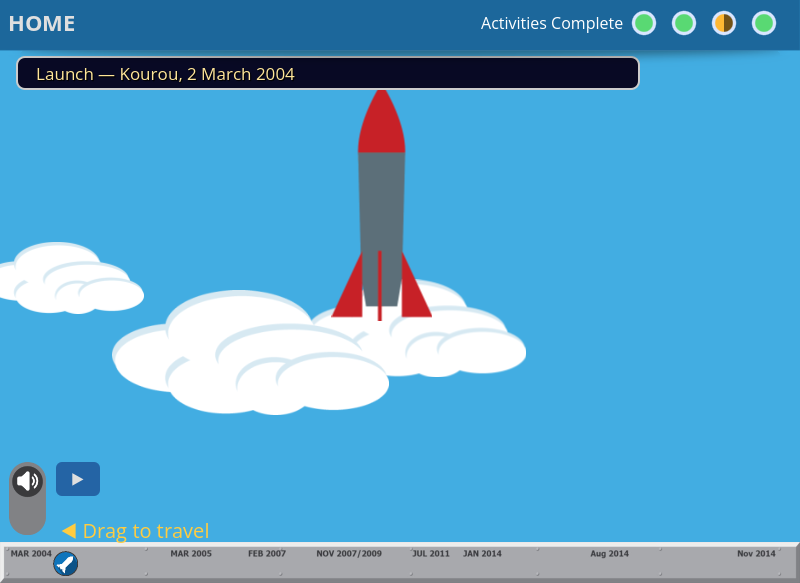
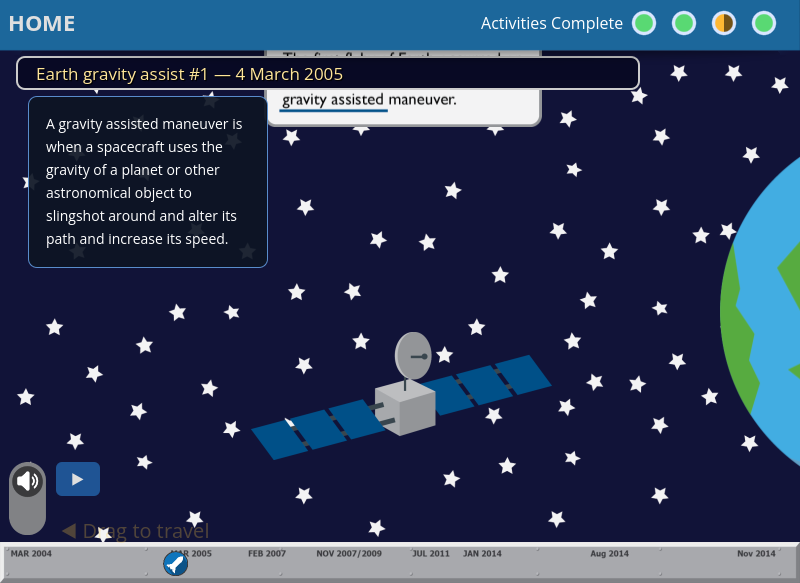
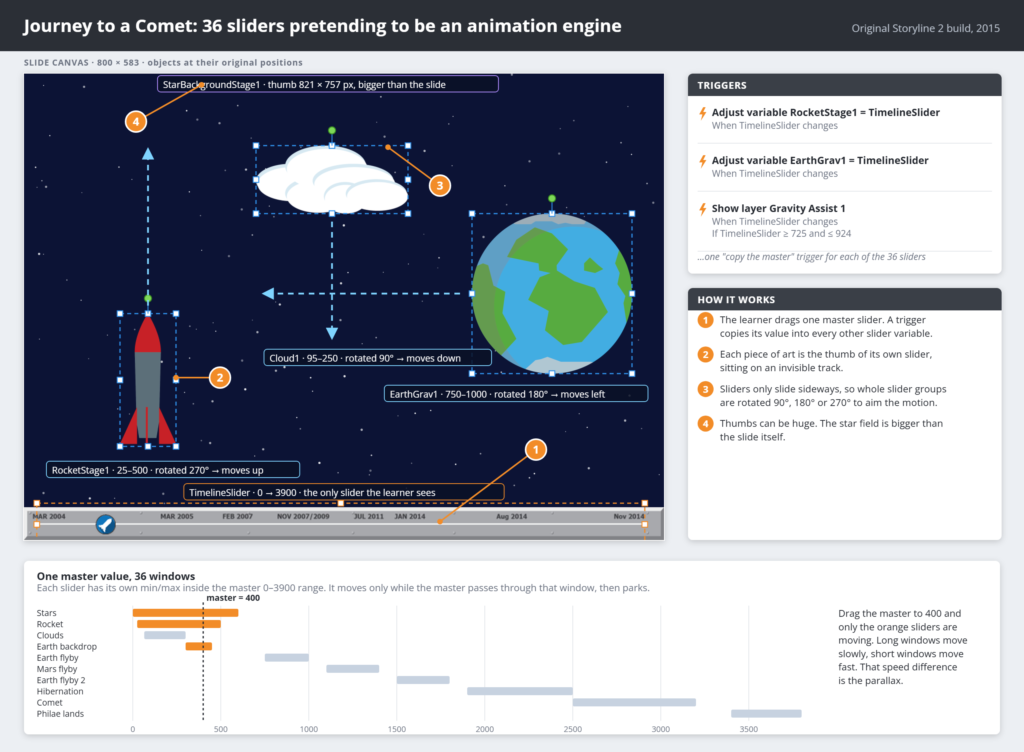
This one began as a pure “how far can I push sliders?” experiment. Storyline 2 couldn’t animate an object from a variable. Objects played their timeline animations and that was it. Sliders, on the other hand, moves a thumb along a track based on a variable and you can customize the thumb with an image. So I thought: what if the thumb *was the artwork?* What if the track was invisible? And what if there were… thirty-six of them?
That’s exactly what I did. The scene runs on 36 sliders. Each one has a huge image as its thumb (the starfield is about 750×820 pixels and the Earth is over 1,300 pixels wide) sitting on an invisible track. The learner drags one master slider along the bottom of the screen, from 0 to 3,900, and a trigger copies that value into all the other slider variables. The magic is in the ranges. Each slider only covers its own slice of the master timeline. The rocket’s slider runs 25–500, the clouds run roughly 65–300, the Mars flyby runs 1,100–1,400. Every piece of art moves only while the master value passes through its window, then parks at the end of its track. Give the background a long range and the clouds a short one and they move at different speeds, and that gives you parallax. Nobody was doing this with Storyline sliders back then, mostly because nobody else was unwise enough to try.
Sliders also only move horizontally, so to make art move up, down or backwards I rotated the entire slider group 90°, 180° or 270°. The rocket climbing off the launch pad? That’s a slider turned on its side. Layers fade in and out at certain points along the timeline for the gravity assists, Rosetta’s hibernation and the landing, and hotspots along the way open videos of the real mission. Setting the ranges was a marathon of nudge, preview, swear, repeat.
Mission 2: Cosmic Dodger
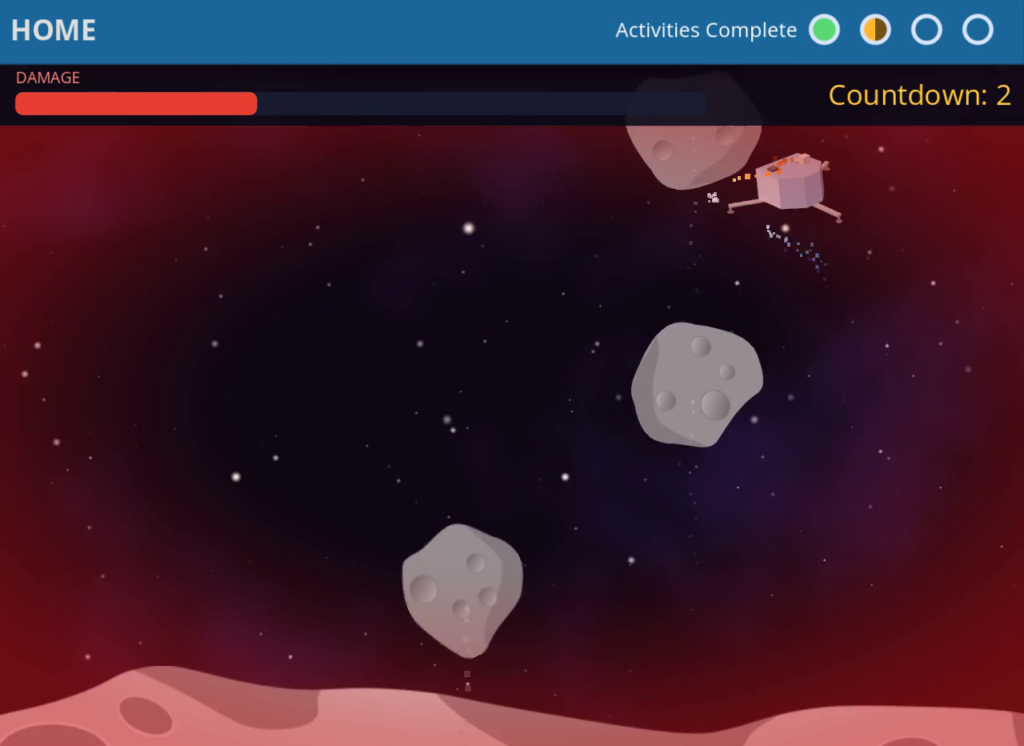
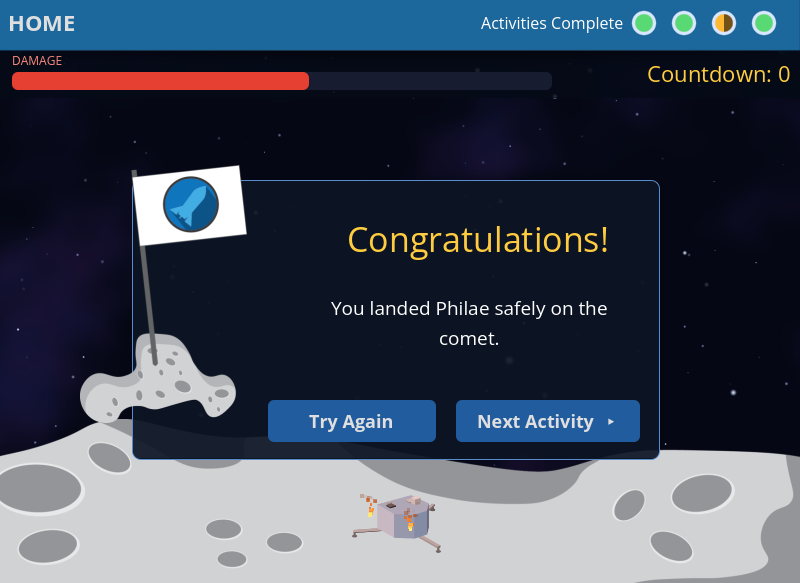
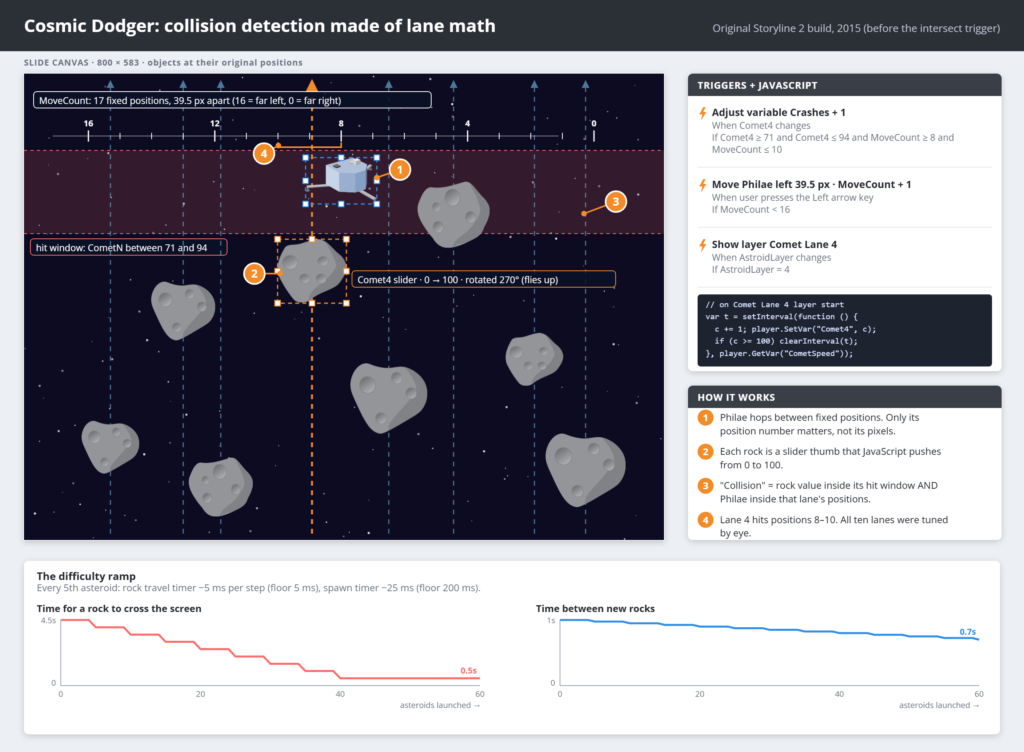
I wanted to build an arcade game in Storyline. Small problem: Storyline 2 had no way to tell when one object touched another. The “object intersects” trigger was still a few versions away. So if I wanted collisions, I’d have to fake them. Philae had to get through the debris in the comet’s tail to land, so you steer Philae left and right with the arrow keys while chunks of comet fly up at you. Take 100 points of damage and the mission is over.
The fake was lane math. Philae doesn’t really move freely. It hops between 17 fixed positions, about 40 pixels apart, and a variable keeps track of which one it’s in. Each of the ten asteroid lanes is (you guessed it) another slider, with the asteroid as the thumb. A small JavaScript `setInterval` pushes its variable from 0 to 100, which carries the rock up the screen. Because both positions are just numbers, a “collision” is a pair of conditions. If asteroid 4’s slider is between 71 and 94 (the stretch where it passes Philae’s height) *and* Philae is in positions 8–10 (the ones under that rock), add a point of damage. I worked out those windows by eye for every lane, including two extra-large asteroids with wider bands. Damage keeps adding up on every tick while you overlap, so grazing a rock costs a few points and parking right under one costs about 24. Every hit flashes red bars around the edges of the screen and plays a crunch sound. It’s collision detection made from a spreadsheet and stubbornness.
The tricky part was the difficulty ramp. A game that stays the same speed stops being fun after about 20 seconds. So every fifth asteroid shaves 5 ms off the fall speed timer and 25 ms off the spawn interval, down to a floor so it never becomes literally impossible. Getting that curve to feel like “getting tense” and not “the computer hates me” took more test runs than I’d like to admit. Not all of them were for testing purposes.
This is the mission where Godot pulls furthest ahead. The lane tables are gone. Collisions now use real shapes fitted to the rock art, so a hit actually means you touched it, and not that you happened to be in lane 9 at the wrong moment. The asteroids tumble, Philae’s thruster flares when you move, and a hit gives you screen shake, a split-second hit-stop and a red damage vignette that gets stronger the more beat up you are. A progress ring and a slowly rising comet surface show you how close you are to landing, and it now works with touch, so you can finally play it on a phone.
Mission 3: Space Maze
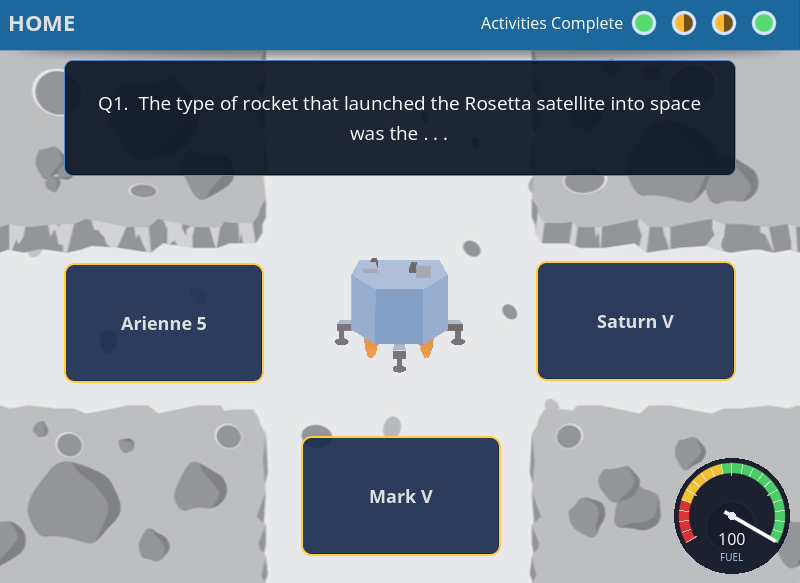
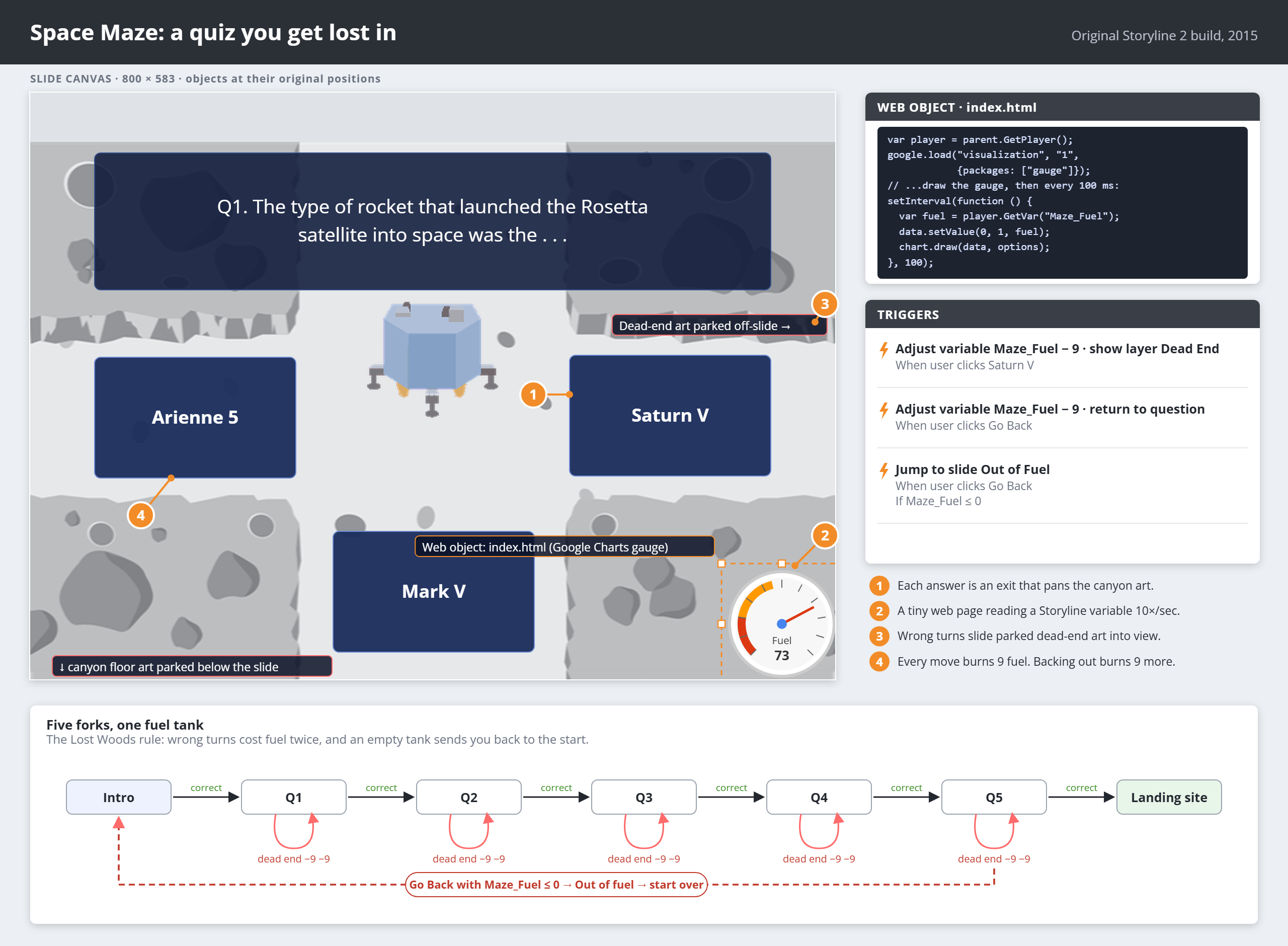
The real inspiration for this one was The Legend of Zelda on the NES. Specifically the Lost Woods, where one wrong turn loops you back to the start and you slowly realize the game is messing with you. I wanted that feeling in an e-learning quiz. Instead of answering a question and getting a polite “Correct!”, you fly Philae through a canyon on the comet. Each question is a fork in the path, and a wrong answer takes you down a dead end you have to back out of.
The maze alone wasn’t enough to raise the stakes, so I added a fuel gauge. Every move burns fuel, and if you run out you’re sent back to the start, Lost Woods style. Storyline had nothing that looked like a real gauge, so I took Google’s chart gauge code, put it on a small HTML page and embedded it in the slide as a web object. The page polled the Storyline fuel variable every tenth of a second and updated the needle, with red and yellow zones for extra anxiety. It was a little web page living inside a Storyline slide, quietly watching your fuel tick down. Kind of beautiful. Kind of horrifying.
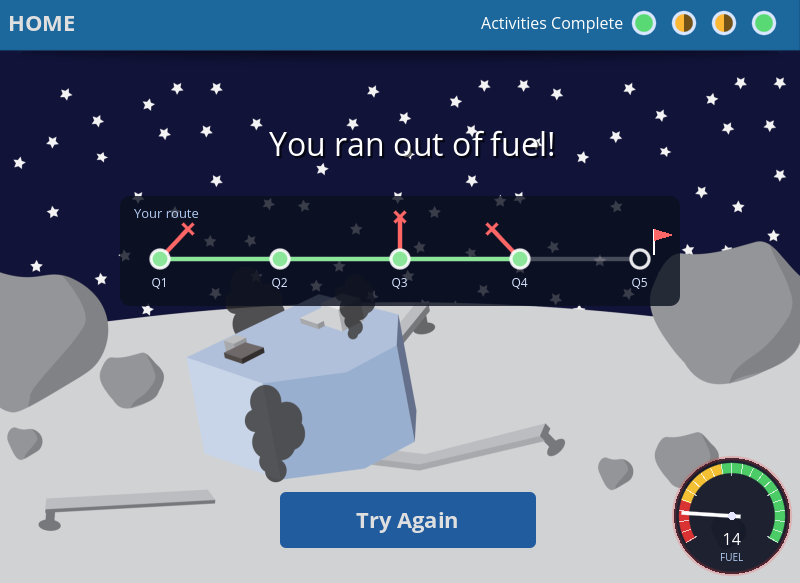
In Godot the gauge is native, with no web object and no Google dependency. It animates the needle, pulses red when you’re running low, and adds a warning sound that rises in pitch as the tank empties (you’re welcome). The canyon is now a real world the camera pans through, so dead ends feel like actual places you flew into. The end screen draws a map of your path, wrong turns included, so you can look back on your choices.
Mission 4: Galactic Quiz
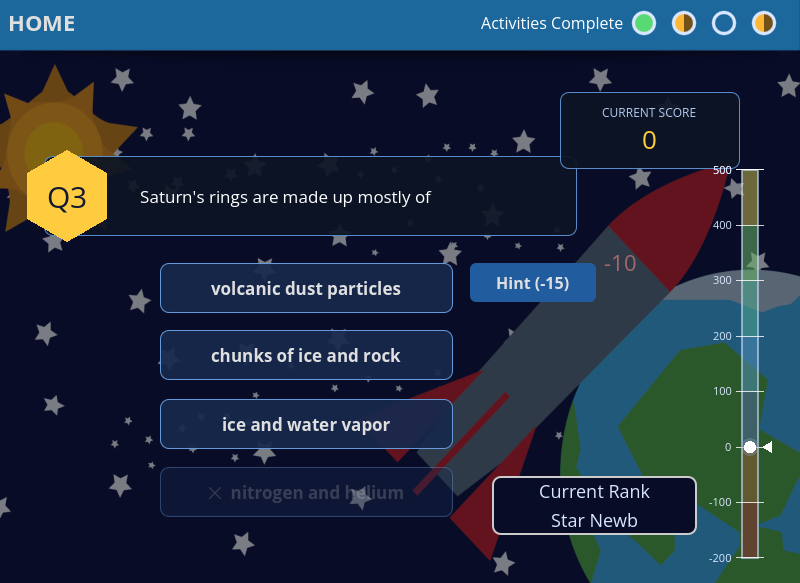
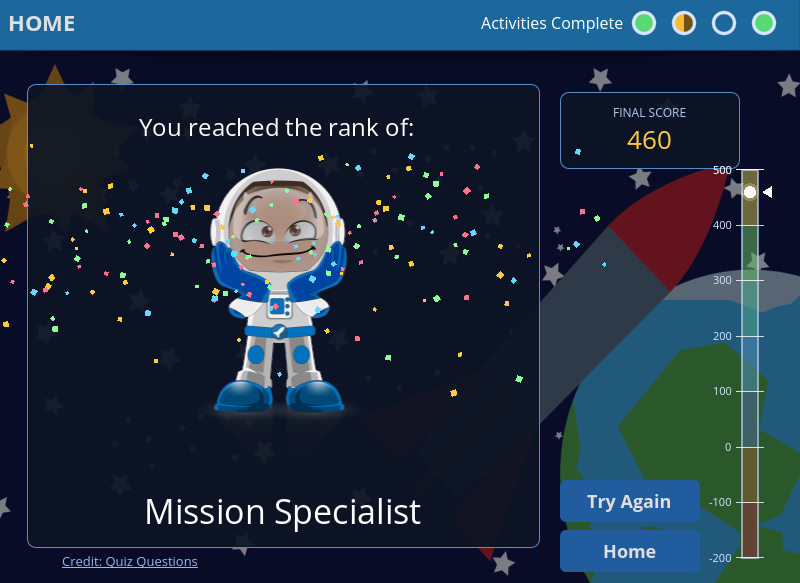
The last mission is a “proper” quiz: ten questions, 75 points for a correct answer, minus 25 for a wrong one, and a rank that climbs as you go, from Star Newb on up. I wanted it to feel more like a game than a test, so I added two features that took far more work than they look like they should.
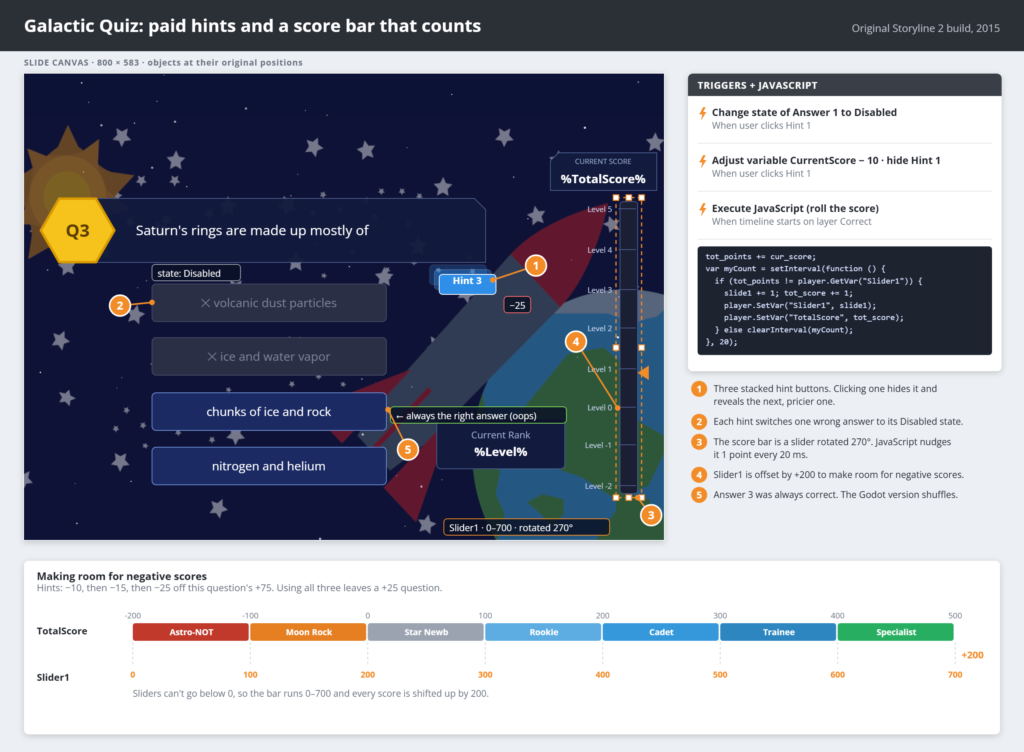
The first is the animated score bar on the side. Yes, it’s another rotated slider, this time standing up vertically. Storyline would only jump a slider straight to its new value, so a bit of JavaScript nudges the score up or down one point every 20 milliseconds until it gets to the new total, and the bar and the number count up together. Scores can also go negative (I believe in honest feedback), so the whole bar is offset by 200 points to leave room below zero. On the results screen your score counts up from zero, and a chime plays every time you cross into a new rank.
The second is the hint system, which was the most complicated thing in the whole project. Each question has three hints, and each one costs points: −10, then −15, then −25. Every hint grays out one more wrong answer, so if you use all three, only the right answer is left, and it’s worth just 25 points. Getting the hint buttons, disabled answer states, point deductions and scoring all to cooperate across ten questions took a frankly unreasonable number of triggers.
In Godot, the score bar now eases into place and plays a little blip and puff when you pass a rank line. The answers are shuffled every time, so “it’s always C” doesn’t work anymore. Feedback text shakes when you’re wrong and bounces when you rank up, and the results screen has confetti, because if you reached Space Cadet you deserve a party.
Mission Complete
Looking back, this whole project came down to finding a feature and asking, “Okay, but what *else* could this do?” Sliders became an animation engine. A couple of variables and some lane math became collision detection. An embedded Google chart became a fuel gauge. None of it was how Storyline was “supposed” to be used, and that’s exactly what made it so much fun to build. With Godot becoming a viable eLearning authoring platform, I’m excited where I can take my next eLearning projects to.
Rebuilding it ten years later was a different kind of fun. Claude unpacked the published files, figured out how all 36 sliders were wired together, and helped turn my old trigger spaghetti into a real game in Godot that runs in any modern browser. It was a bit like reading an old diary and finding out you were smarter, and much less sane, than you remembered.
Philae only got about 60 hours on the comet before its batteries ran out. My little tribute to it got about ten years before Flash ran out. Now it’s back, and this time it doesn’t need a plugin.