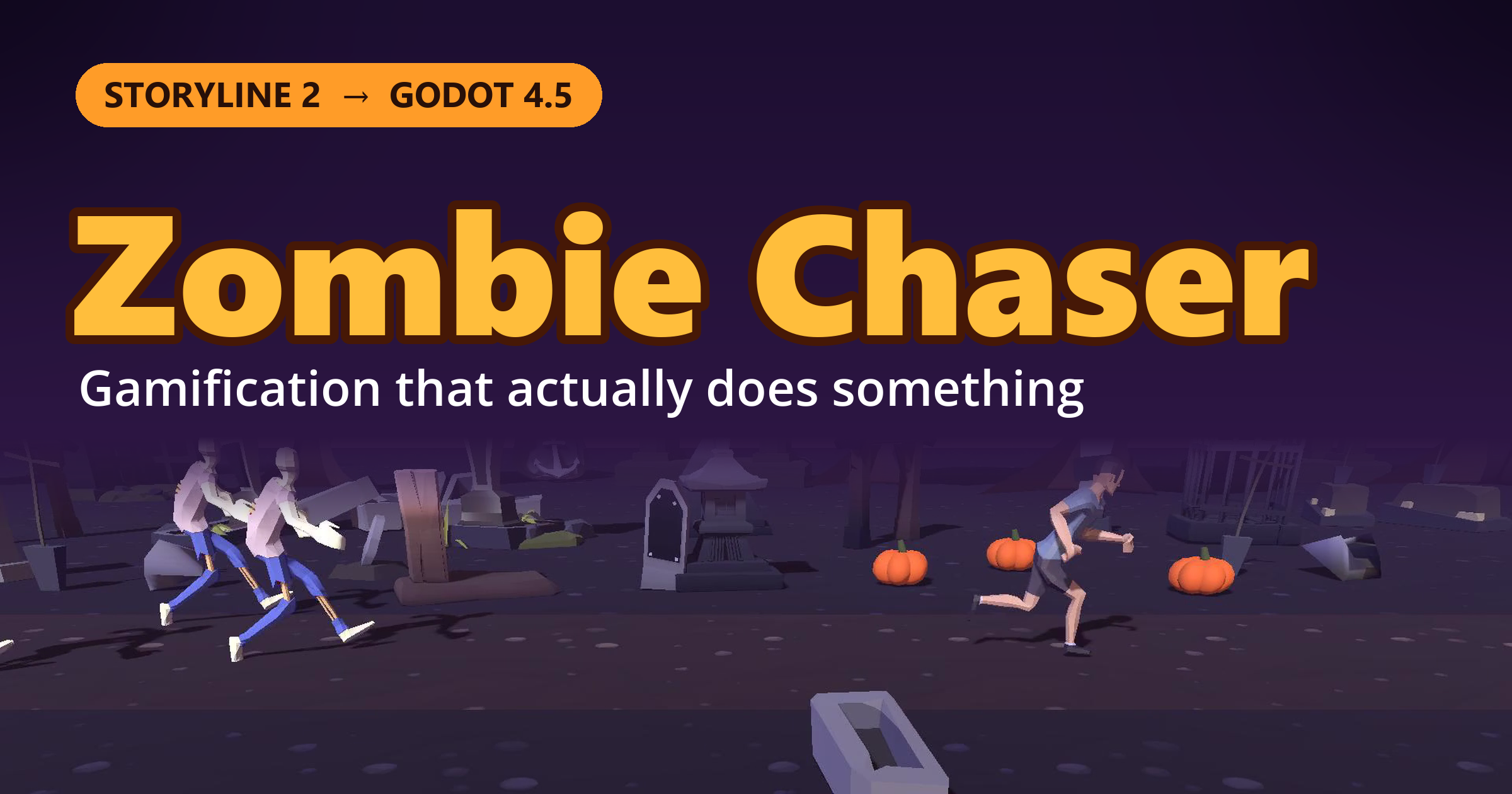
About ten years ago I built a zombie quiz in Storyline 2. A runner, a pack of zombies, and a question to answer before they caught up. It was built almost entirely out of sliders. The runner was a slider. The zombies were sliders. Nearly everything on screen was a slider, except the one thing you’d actually use a slider for. (If you’ve read my other posts, you know this is a pattern.)
I didn’t build it to prove anything. I just wanted a fun, gamified quiz. This year I rebuilt it from scratch in Godot, with newer tools and a lot more capability, and it finally looks like the game I pictured the first time.
The Game
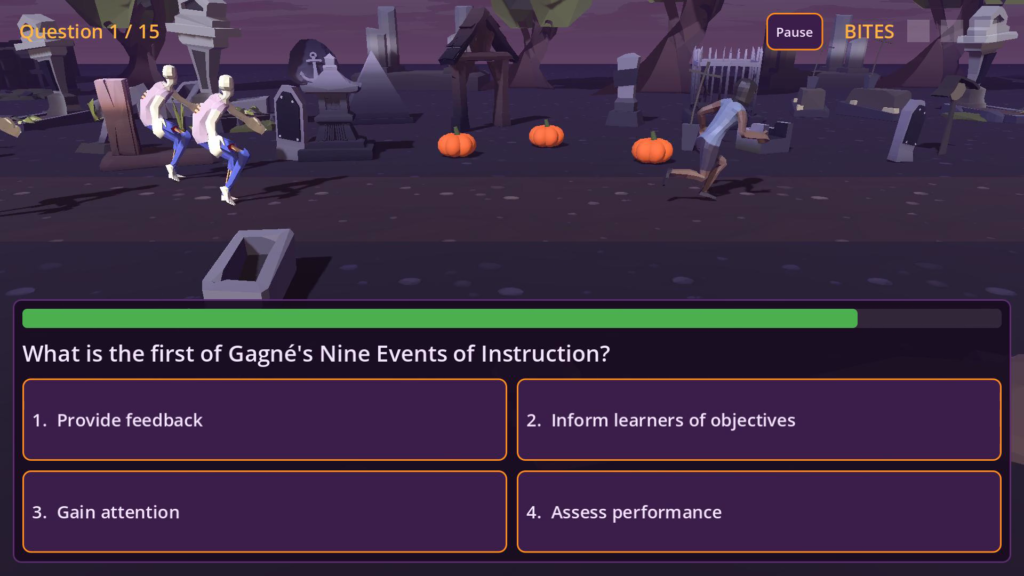
You pick one of three runners and a difficulty level. Then the zombies claw their way out of the ground behind you, the runner turns around, and the questions start.
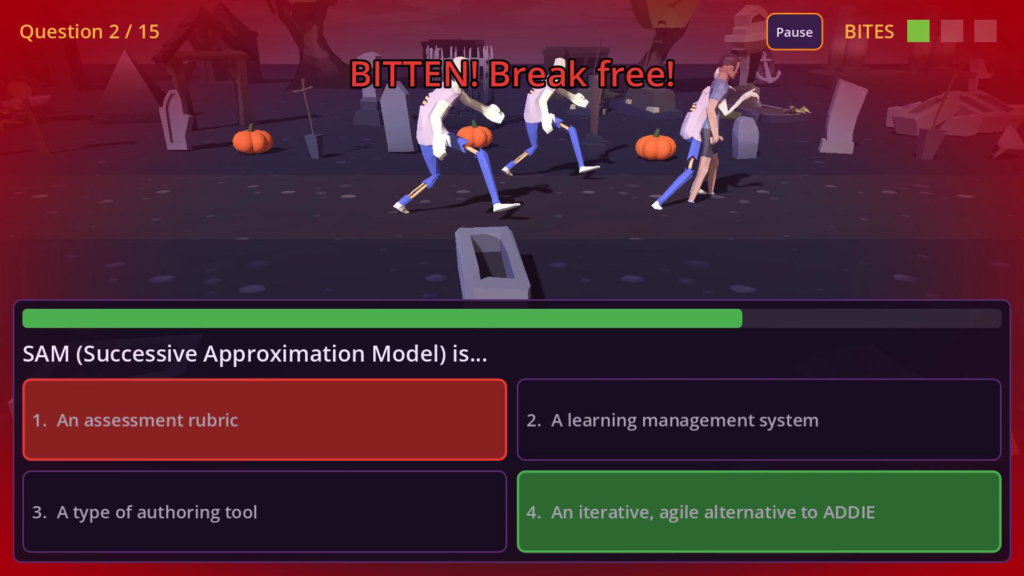
Answer correctly and you sprint away. Answer wrong and you stumble, and the zombies close in. Take too long and the wrong answers start fading away one at a time, so you can still get it right, but for fewer points. Get bitten three times and you join them. Answer every question and you escape through the cemetery gate, slam the doors shut, and watch the zombies claw at the bars.
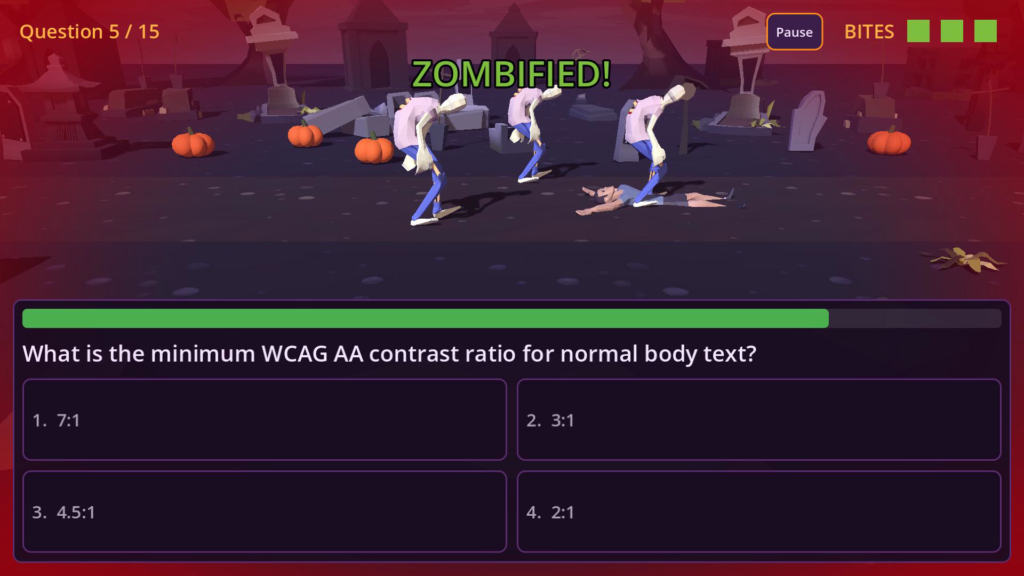
A few details I’m happy with:
- Three runners, three styles. Each one has different thinking time, a different recovery speed from a stumble, and a different tendency to lose ground while you decide. Picking a runner is a small strategy choice, not just a skin.
- Three difficulty levels. Easy, Medium and Hard draw from a pool of 50 questions on a variety of instructional design theories and practices (Gagné, WCAG contrast ratios and more), with the harder levels pulling in the harder questions. No two runs are quite the same, and the answers are shuffled every time.
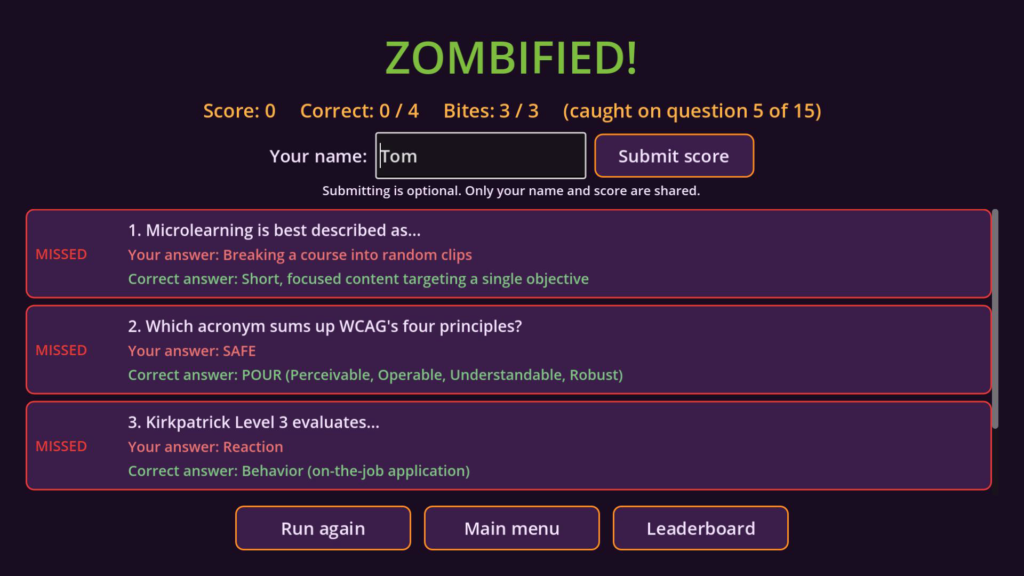
- A review screen. When the run is over, win or lose, you see every question, what you picked and the right answer. The game is the fun part. The review is where the learning happens.
- A leaderboard, so you can compare scores with other people who survived (or didn’t).
About “Gamification”
I’ll be honest: I think the word is overused, and it has been for years. Too often it means a badge, a points counter, and a leaderboard bolted onto a course that was already boring. Learners aren’t fooled. A score that goes nowhere is just a number.
But I do think certain game elements can make a lesson better, when they add something to the learning instead of decorating it.
That’s what I tried to do here. Zombie Chaser is still a quiz. The timer is a real timer. You still get feedback on every answer, and there’s a review screen at the end so you can see what you missed. What the zombies add is suspense. You *feel* the clock. Picking an answer matters because something happens when you’re wrong, and that tension is what makes you slow down and think, or speed up and trust what you know. The game isn’t covering up the quiz. It’s making it matter a little more.
Gamification should add to the function of the course, not dangle trinkets in front of the learner.
A Better Example Than Mine
The best example I know of is Lifesaver Learning from the Resuscitation Council UK. It puts the learner into an emergency and asks them to make quick decisions, with the pressure of a real situation. That pressure isn’t a gimmick. It’s the point, because a real emergency doesn’t give you time to look something up. The format fits the skill.
Take a look at Lifesaver Learning. It’s a good reminder of what the game layer is for.
A few other kinds of training that could use the same approach:
- Safety and hazard spotting: find the hazard before the clock runs out.
- Customer service and de-escalation: choose a response while the customer keeps getting more upset.
- Security and phishing awareness: is this email real? You have seconds to decide, like in real life.
- Healthcare triage: who needs attention first, with new patients arriving.
- Incident response and compliance: make the right call while the situation changes.
In each case the pressure is part of the skill being practiced. That’s when gamification earns its place in a course. And in each case, the game can only be as good as the questions behind it. Time pressure on a badly written question is just a frustrating question.
How It Was Built
This time I didn’t build it in an authoring tool. I built it in Godot 4.5, a free, open-source game engine, and exported it for the web so it runs in a browser with nothing to install. I worked with Claude Code to write the game logic, set up the tooling and test it as we went.
Step one wasn’t writing code. It was writing a plan. I didn’t type “make me a zombie quiz game” into a single prompt and hope for the best. Before anything got built, we put together a project plan that became the single source of truth for the whole project:
- A clear scope. What the game is, what it isn’t (no LMS tracking, for example), and what’s on hold until playtesting tells me whether it’s needed.
- An asset list. Every character, animation, prop, music track and sound effect, and where each one would come from.
- Who’s responsible for what. Claude wrote the code and the tooling. I supplied the vision, made the design calls, picked the assets, and approved the questions.
- Small stepping stones. The plan was broken into milestones: a greybox with placeholder shapes, then real characters, then zombie polish, then the environment, then audio, then scoring and the web export. Each one had to work before the next one started, so the foundation was solid before anything was built on top of it.
The plan stayed alive the whole time. After each change, we ticked off the checklist, logged the decisions with dates, and recorded what changed. A big one-shot prompt produces a big pile of code that nobody understands. Small steps produce a game you can fix, tune and trust.
Some of the pieces it handled for me:
- The chase itself. The whole thing runs on one number: the gap between the runner and the lead zombie. Correct answers widen it, wrong answers and slow thinking shrink it, and at zero you get bitten. All of the balance numbers live in one data file, and I used simulations to tune the difficulty for average, strong and struggling learners. Yes, I sent a lot of simulated learners through a zombie apocalypse. For science.
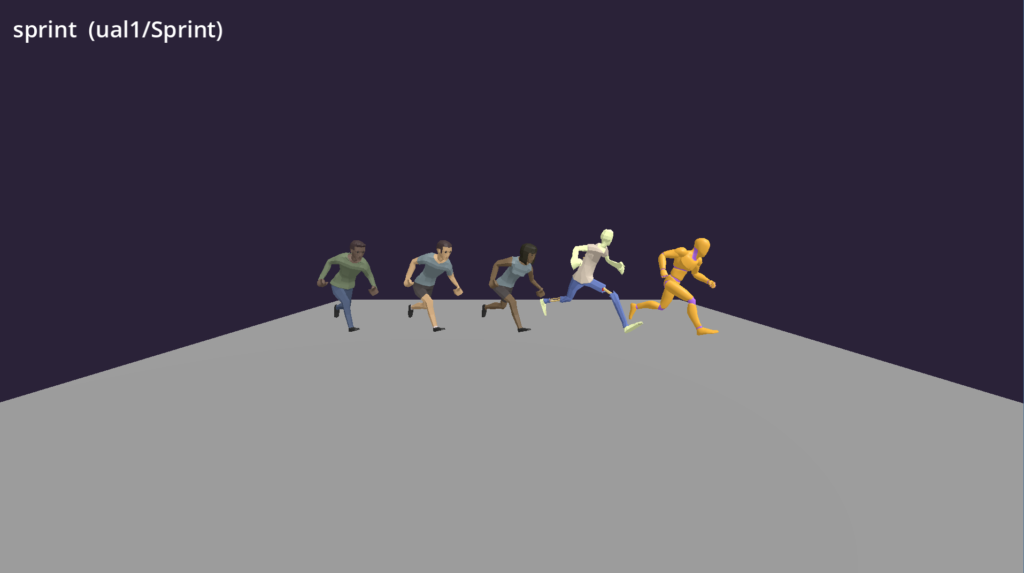
- Characters and animation. The runners and zombies are free CC0 models from Quaternius, with animations from his Universal Animation Library and Mixamo for the zombie run, scream and bite. I used Blender scripts to clean up the rigs so every character could share the same animations. Nobody had to be bitten for the neck-bite animation. I checked.
- The cemetery. The graves, trees and props come from the Low Poly Cemetery Grave Pack by EmacEArt. I converted it into dozens of separate props and built a scrolling environment out of them, with fog, moonlight and a hand-colored purple sky. There are also pumpkins. Nobody asked for pumpkins, but it’s October.
- Music and sound. The menu and chase tracks were made with Suno, then cut into seamless loops. The sound effects were generated with ElevenLabs: the wind, footsteps, groans and a heartbeat that speeds up as the zombies close in, all wired into the action. Typing “zombie groan” into a text box and getting one back is a strange thing to have in a job description.
- The leaderboard runs on Talo, a game back end that has a free tier. Your high score now lives somewhere other than my hard drive.
- The extras: a pause menu, saved sound and motion settings, and a reduced-motion option that turns off camera shake and flashing for anyone who needs it.
The human part was the vision I had ten years ago: what the game should feel like, which questions belong in it, and when it works and when it doesn’t. The new tools handled the part that took so many sliders, and so much patience, last time.
Why I Keep Pushing Godot for eLearning
Lately I’ve been telling anyone who’ll listen that Godot deserves a spot next to the usual eLearning authoring tools. It’s free. It’s open source. And it’s far more powerful than most of us need for a typical course.
Zombie Chaser is a very small example of what that looks like. It has 3D characters, a scrolling environment, animation, audio, timers, a leaderboard and a web export, and none of it needed a stack of layers or hundreds of JavaScript triggers to fake. (For the record, this game is just for fun, so it doesn’t report to an LMS. That part is possible, though, as you’ll see below.) I have more examples in my portfolio that go well beyond the presentation-style course: interactions that respond to the learner, scenarios that behave like simulations, and mechanics that would be painful or impossible to build with a slide-based tool.
The obvious objection is that Godot is a game engine, not an eLearning tool, and a new user has no idea where to start. So I’ve started building an add-on to help with that. CourseBuilder is a Godot 4.5 plugin for instructional designers:
- Slides are scenes. One Godot project is one course, and each slide is a scene you build with the nodes you already know.
- A Course Viewer shows the whole course as a graph, so you can reorder slides, group them into sections and see how the learner moves between them.
- A prebuilt player with Next and Previous buttons, a table of contents and completion rules.
- Quizzes with multiple choice and multiple response, scoring, attempts and feedback.
- SCORM 1.2 export, so the finished course can go into an LMS.
It’s still early, but it’s already enough to build and publish a simple course. If you’re curious, the [CourseBuilder README]() has the details. Zombie Chaser is just another example of what we can do with Godot.
Back From the Dead
It was fun to revisit another old project with newer, more capable tools, and to get a lot closer to my original vision. The slider hacks are gone. The runners, the zombies and the cemetery are real now, and it runs in any browser.